


Lenovo Yoga 7a 2-in-1 : Flexible, AI-ready, and easy to live with


After spending some time with Lenovo’s newer generation laptops, one thing is quite clear. They’re no longer just building devices based on specs alone. It’s more about how the laptop fits into your daily routine. With the Yoga 7a 2-in-1, that idea becomes a bit more obvious.
On paper, it’s a slim convertible laptop with AMD Ryzen AI inside. But once you start using it, it feels less like a “feature-packed device” and more like something that quietly adapts to how you use it throughout the day. And honestly, that makes a bigger difference than expected.
FIRST IMPRESSIONS & DESIGN
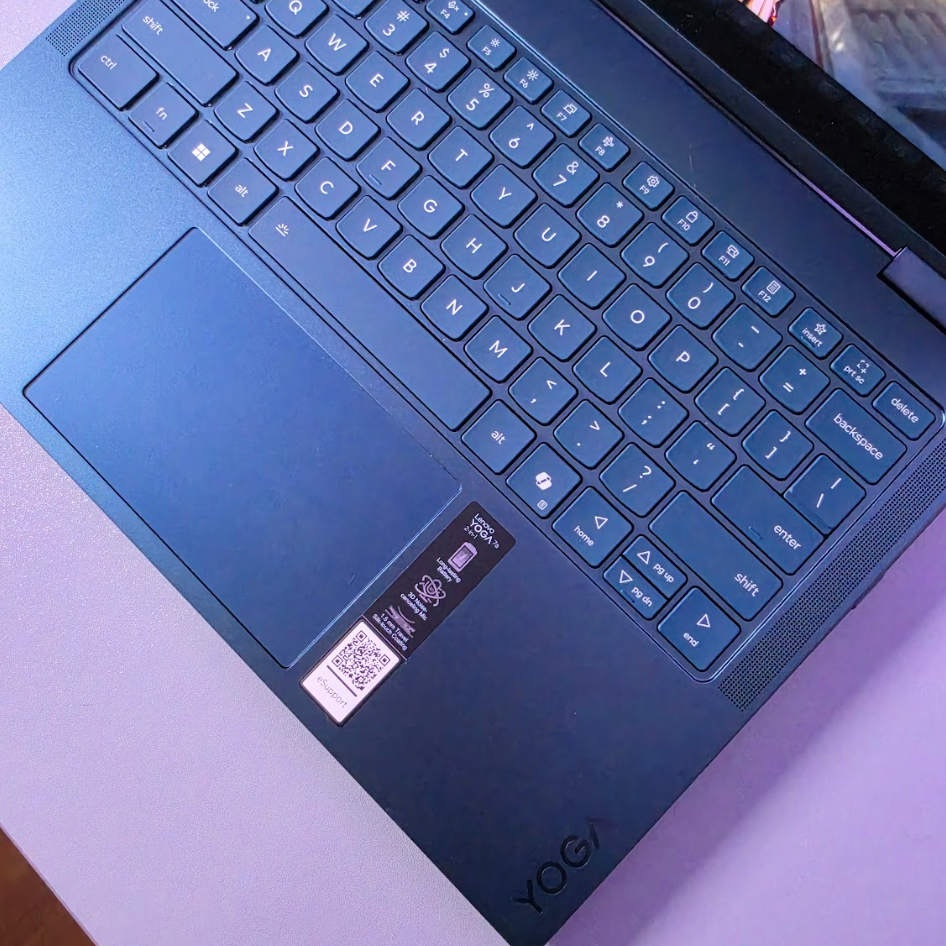
The Yoga 7a keeps things simple visually. Aluminium build, clean finish, nothing too loud. It’s the kind of laptop that blends into most setups.
It’s also relatively light and slim, so carrying it around doesn’t feel like a chore. But the real highlight here is the 360° hinge.
At first, it might seem like one of those “nice to have” features. But after a few days, it becomes something you naturally use without thinking. The flexibility changes how you position the laptop depending on what you’re doing, and that’s where it starts to feel different from a regular clamshell device.


FLEXIBILITY: LAPTOP + TABLET IN ONE
This is really the core of the Yoga 7a experience!!!!
You can use it as a regular laptop when working, flip it into tent mode when watching content, or go into tablet mode when you just want something more casual.
It sounds simple, but in real usage, it’s surprisingly convenient. Watching videos in tent mode feels more comfortable, scrolling in tablet mode feels more natural, and switching between them is quick enough that you actually bother doing it.
It’s one of those features that doesn’t feel essential at first… until you get used to it.

DISPLAY
The Yoga 7a comes with an OLED display option. With up to 2.8K resolution and a 120Hz refresh rate, everything looks sharp and smooth. Colours are vibrant, and contrast is noticeably better compared to standard IPS panels.
In daily use, this translates to a more enjoyable viewing experience. Whether you’re watching videos, browsing, or even doing light editing work, the display just feels pleasant to use for long periods.

PERFORMANCE
This unit comes with AMD Ryzen AI 7, paired with Radeon graphics, around 24GB of RAM, and a 512GB SSD. On paper, it’s clearly positioned as a productivity-focused machine, not a performance monster.
In real usage, it handles everyday tasks comfortably. Browsing with multiple tabs, working across documents, light creative work... everything runs smoothly without noticeable slowdowns.
The AI aspect is there as well, helping with background optimisations and newer Windows features. It’s not something you actively think about, but it contributes to a more stable overall experience. And for most users, that consistency matters more~
DAILY USAGE: WHERE IT FITS IN
What stands out more is how easily the Yoga 7a fits into different parts of your day.
You can go from working at a desk, to watching content in bed, to casually browsing without needing to adjust too much. The flexibility and lightweight design make that transition feel natural.
BATTERY LIFE
Battery life is generally dependable for daily usage.
It’s able to get through most standard workdays without becoming a concern, especially for typical productivity tasks. And when needed, quick charging helps top things up without too much downtime.


CONNECTIVITY & PORTS
Despite being slim, the Yoga 7a still includes a practical selection of ports.
You get USB-A, USB-C, HDMI, and other essentials, which means you don’t have to rely heavily on adapters. It’s a small detail, but it makes everyday usage more convenient.
Connectivity is also up to date, so it works well with modern accessories and networks.
FINAL THOUGHTS
There are also smaller touches that round out the experience. Things like the keyboard feel, audio quality, and general build all contribute to a device that feels complete. Nothing feels out of place, and there aren’t any major compromises that stand out during regular use.
It’s a very balanced overall package.
The Yoga 7a 2-in-1 isn’t trying to stand out with extreme performance or flashy design.
Instead, it focuses on flexibility, consistency, and just being easy to use in everyday situations.
And I think that’s where it works best, because once you get used to switching between laptop and tablet modes, and using it across different parts of your day, it starts to feel less like a device you use occasionally… and more like something you rely on for everything.
Not the loudest option out there, but one that makes a lot of sense the longer you use it.


Comments